
Products
Within Evessio, a product is an item that can be processed or purchased by a website visitor.
Products can be free or paid, and can be configured to have different pricing, availability dates, limits, etc.
In this article
Types of Products
To access your products, go to Revenue > Products. All products available for your event will be listed on this page.
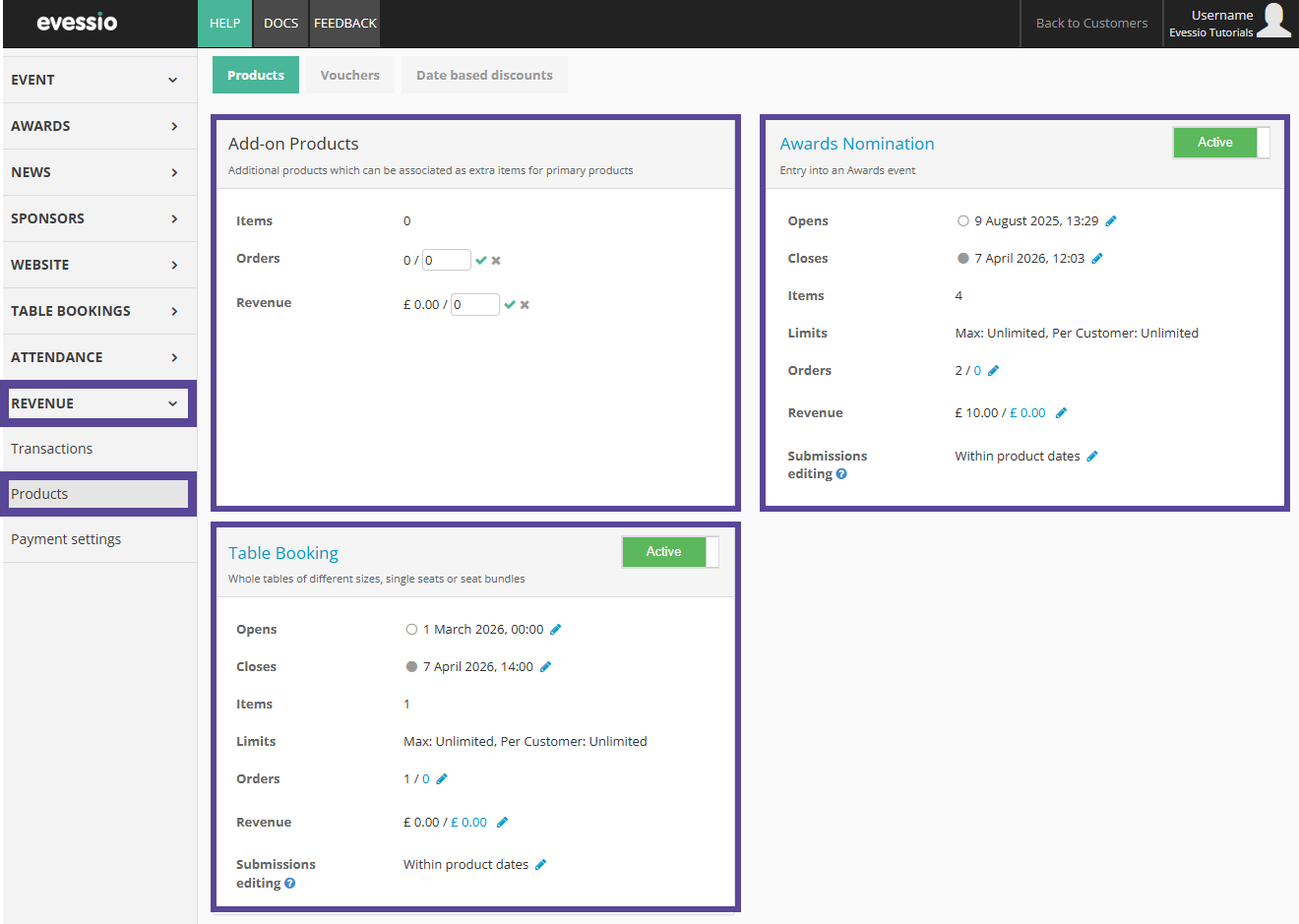
The types available vary according to your Event Features.
Click on the product type name to learn how to configure the specific product.
| Product Type | Explanation | Available for |
|---|---|---|
| Awards Nomination | Awards Nomination Products are your categories and entry forms. You can create awards nomination products and their entry forms in Awards > Categories, and configure their behaviour in the Product area. | Awards |
| Table Booking | Tables of different sizes for your awards gala, with guest information managed by a booker. | Awards |
| Event Attendance | Tickets for your conference or live event. Tickets can generate PDF attachments and QR codes to scan upon entry. | Conferences |
| Exhibition Stands | Booths that can be purchased by exhibitors | Exhibitions |
| Custom Products | Ad hoc products that you wish to sell on your site, e.g. trophies, t-shirts, etc. | All |
| Add on Products | Products that attach to other parent products, i.e. a drinks package [add on] when purchasing a table [table booking product] | All |
General Product Configurations
You can edit basic configurations of your product on the main product landing page such as the product availability dates, order and/or revenue targets, and submission editing rules.
The names of your product types can be changed; these are the default names.
The names of each of your products should be listed in their sections in blue and be clickable.
If the product name is not blue and clickable, you first need to amend or accept the suggested configuration by clicking on the green checkmark icon(s) to confirm the details.
General Product Configurations can be amended here. You can also click on the name of your product type to enter the detailed configuration, where this detail can be configured further.
This information can be amended at any time.
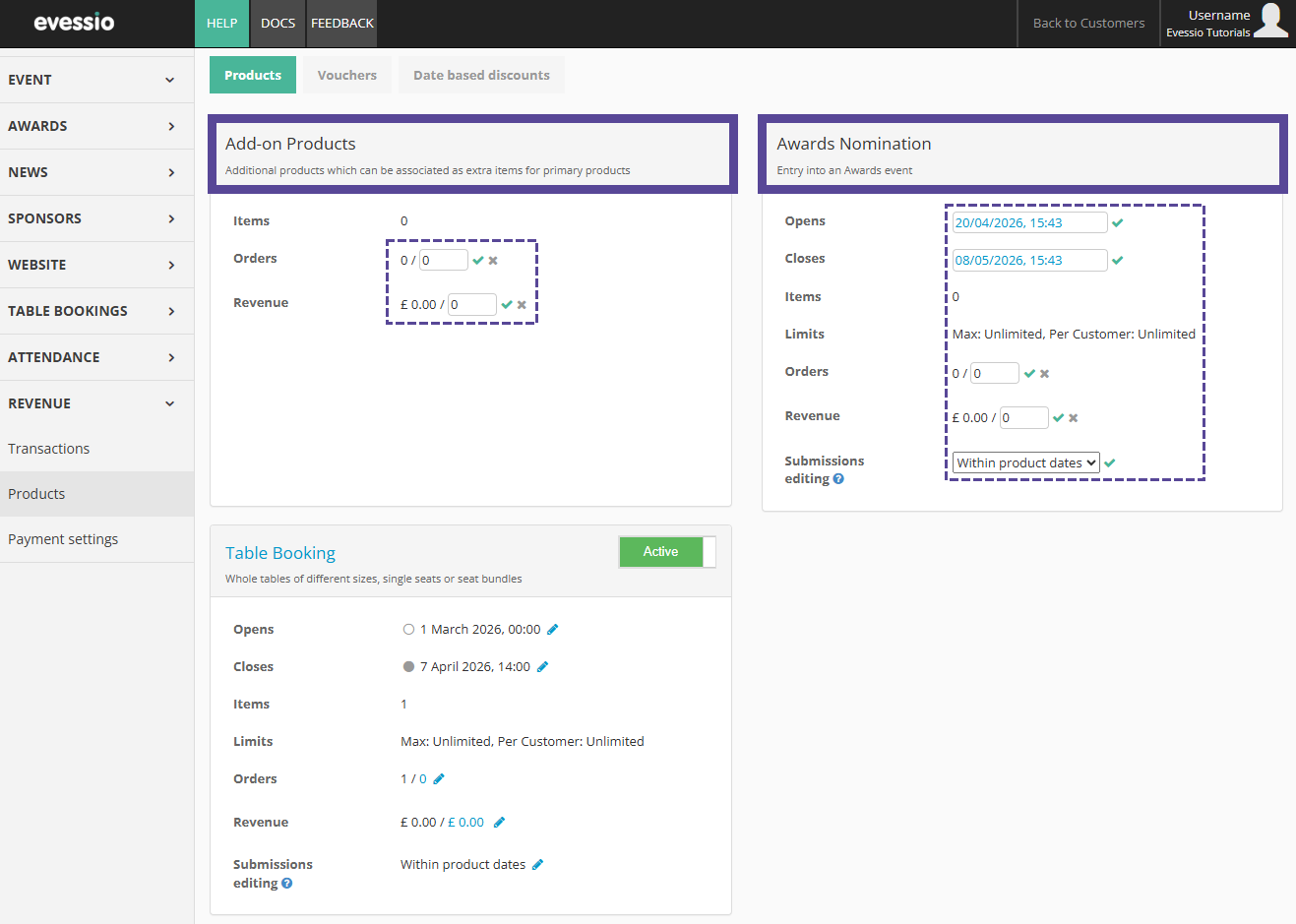
In this view, you can edit the Open and Close date of your product type.
This is the overall window of time that this product type can be made available; your individual products can adhere to these dates, or have different availability within this time window.
Here, you can also see how many individual products have been created within each product type, and if any limits have been applied to the overall product.
You can also amend order targets and revenue targets, which will feed to your Event Dashboard.
Submission Editing
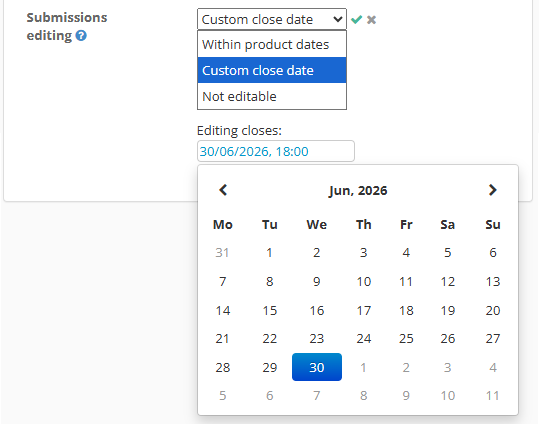
Finally, you can edit the Submission Editing options. This feature controls whether someone who has already completely submitted/purchased a product can make edits to the information already provided, and if so, for how long.
There are three options regarding your submission editing:
| Within product dates | Users can edit their submitted information within the window of time outlined by the product availability dates. |
| Custom close Date | Select a different date that submissions can be edited until, i.e. if your venue needs guest information 7 days before your event, you can lock submission editing so guest requirements are not changed by the user. |
| Not editable | No edits can be made after initial submission. |
Note 🗒️
The default setting for Submission Editing is Within Product Dates.
All submission data will continue to be editable by admin users via the Evessio admin portal regardless of the option chosen.
Product Availability Dates
Click on your product tyle name to enter further configuration.
Here, you can see all General Product Configurations, as well has the full configuration for that specific product type.
If you wish for all products within your product type to follow the general availability dates, ensure they say Track Product beside both the open and close date. This means they are linked to the general availability dates, and ensures that if you amend your overall product availability dates, all individual products will be changed too.
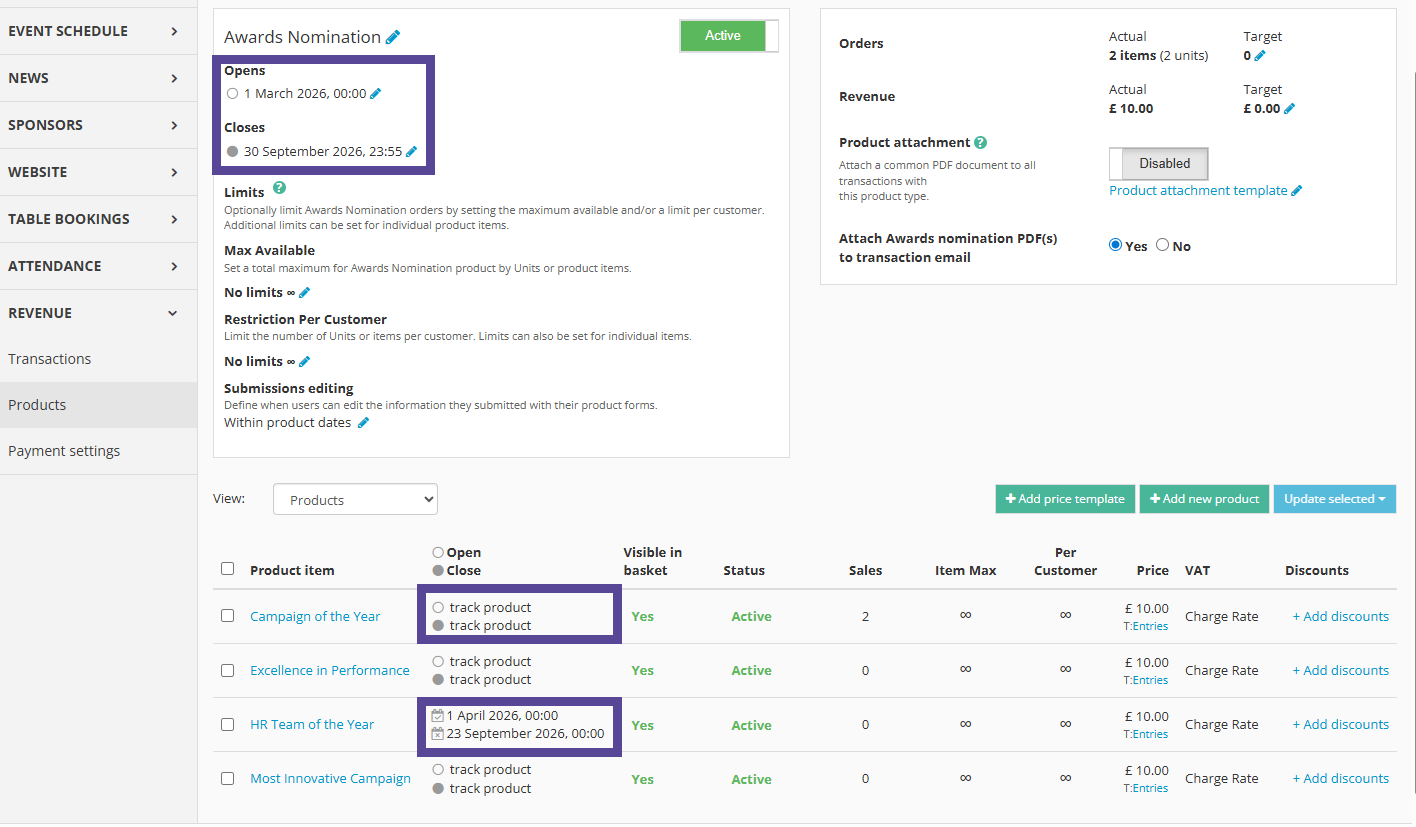
Individual products can have their own availability dates, however this date must be within the overall availability dates.